Feature Nexus Agent
Hand off the task.
Agent ships
the change.
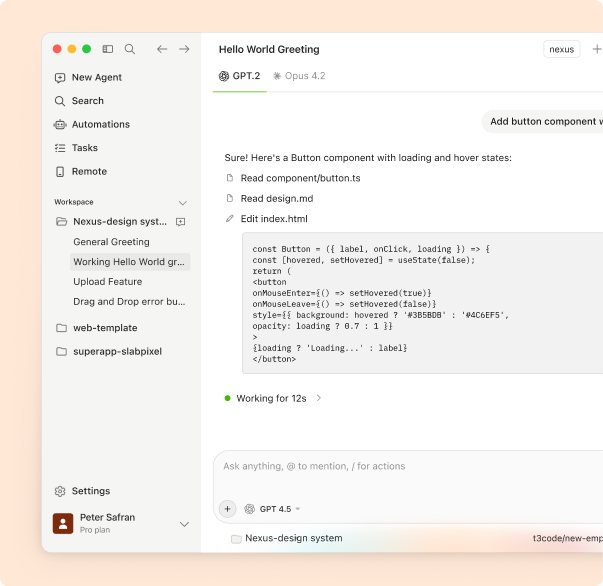
Describe a feature, a bug or a refactor the way you would write a ticket. Nexus Agent plans the work, edits every file it needs, runs your tests and hands back a diff you can review line by line.
- faster from ticket to pull request
- 3.4×
- of Agent PRs merge without follow-up edits
- 68%
- files changed in an average task
- 12
From ticket to diff in three steps
- 01
Describe the task
Write it like a ticket. @mention files, paste an issue link or a stack trace, and add any rules Agent should follow.
- 02
Agent plans and edits
It reads the code that matters, shows you a short plan, then edits across files, creating and deleting where needed.
- 03
Review and merge
Agent runs your tests and linters, fixes what fails, and gives you a diff to accept or reject file by file.
Built to finish the work, not just start it
-
 Multi-file edits
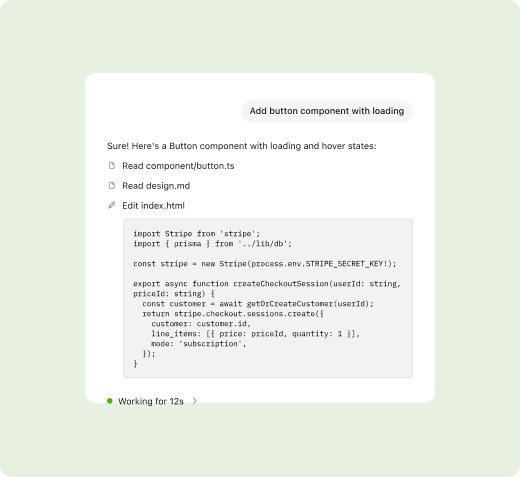
One task, every file it touches
Agent follows imports, types and call sites, so a change to an API also updates its routes, clients and tests in the same pass.
- Creates, edits and deletes files
- Keeps types and imports consistent
- Works across packages in a monorepo
-
Terminal
Runs your tools and fixes what fails
Agent runs the commands you would run: install, build, test, lint. When something fails it reads the output and tries again.
- Asks before running new commands
- Reads test output and retries
- Allow-list for trusted scripts
-
Review
You approve every change
Nothing lands without you. Each file shows a clear diff with Agent's reasoning, and you can accept, reject or ask for another pass.
- Per-file accept or reject
- Ask follow-ups on any line
- Checkpoints to roll back a task
What teams hand to Agent
Ship a feature end to end
From the route to the UI to the tests, in one reviewed change.
Fix a bug from a stack trace
Paste the error. Agent finds the cause and proves the fix with a test.
Refactor across modules
Rename, split or move code without hunting for every call site.
Write the missing tests
Point at a file and get tests that match your existing style.
Upgrade dependencies
Bump a major version and let Agent work through the breaking changes.
Migrate an API
Move from one client or SDK to another across the whole codebase.
“We hand Agent the tickets nobody wants. It comes back with a clean diff and passing tests more often than not.”
The Workflow Shift
Before Nexus Agent
After  Nexus Agent
Before Nexus Agent
- Open each route file one by one
- Copy-paste try/catch from Stack Overflow
- Miss inconsistent error formats
- Forget to update tests
- Debug failing endpoints manually
After Nexus Agent
- Deploy from code in minutes
- High-fidelity sandbox demos
- Demo-first capture loop
- Deploy from code in minutes
- Demo-first capture loop
- Edge uptime SLA
- 99.99%
- Avg run time
- ~12min
- Files analyzed
- 20+
The details
Everything you need to know before you turn on Nexus Agent.
Compare plans- Where it runs
- VS Code, JetBrains IDEs and the Nexus desktop app
- Context
- Your whole repository, indexed locally and kept up to date
- Languages
- TypeScript, Python, Go, Rust, Java, Ruby, PHP and 40+ more
- Safety
- Asks before new commands, checkpoints every task, never pushes on its own
- Plans
- Included in Pro and Team, with higher limits on Team
- Privacy
- Your code is never used to train models. SOC 2 Type II
Nexus Agent FAQ
Chat answers questions and suggests edits you apply. Agent takes a whole task, edits files itself, runs commands and returns a finished change for review.
No. Agent works in your local workspace and never commits or pushes on its own. You review the diff and decide what to keep.
Agent retries a few times using the test output. If it still fails, it stops, explains what it tried and leaves the workspace at the last checkpoint.
Any command you allow. By default it asks before running something new, and you can add trusted scripts like test or lint to an allow-list.
Can’t find your answer? Contact our support team